
如何配置有成报销连接器和请求适配器
Source: Qeasy Cloud451 views
获取有成报销连接器信息及配置指南
建立连接器
-
使用管理员权限账号登录有成报销。如果是通过钉钉授权的账户,需要从钉钉进入。
-
在系统管理-开发者中心中,获取
appkey和appSecret。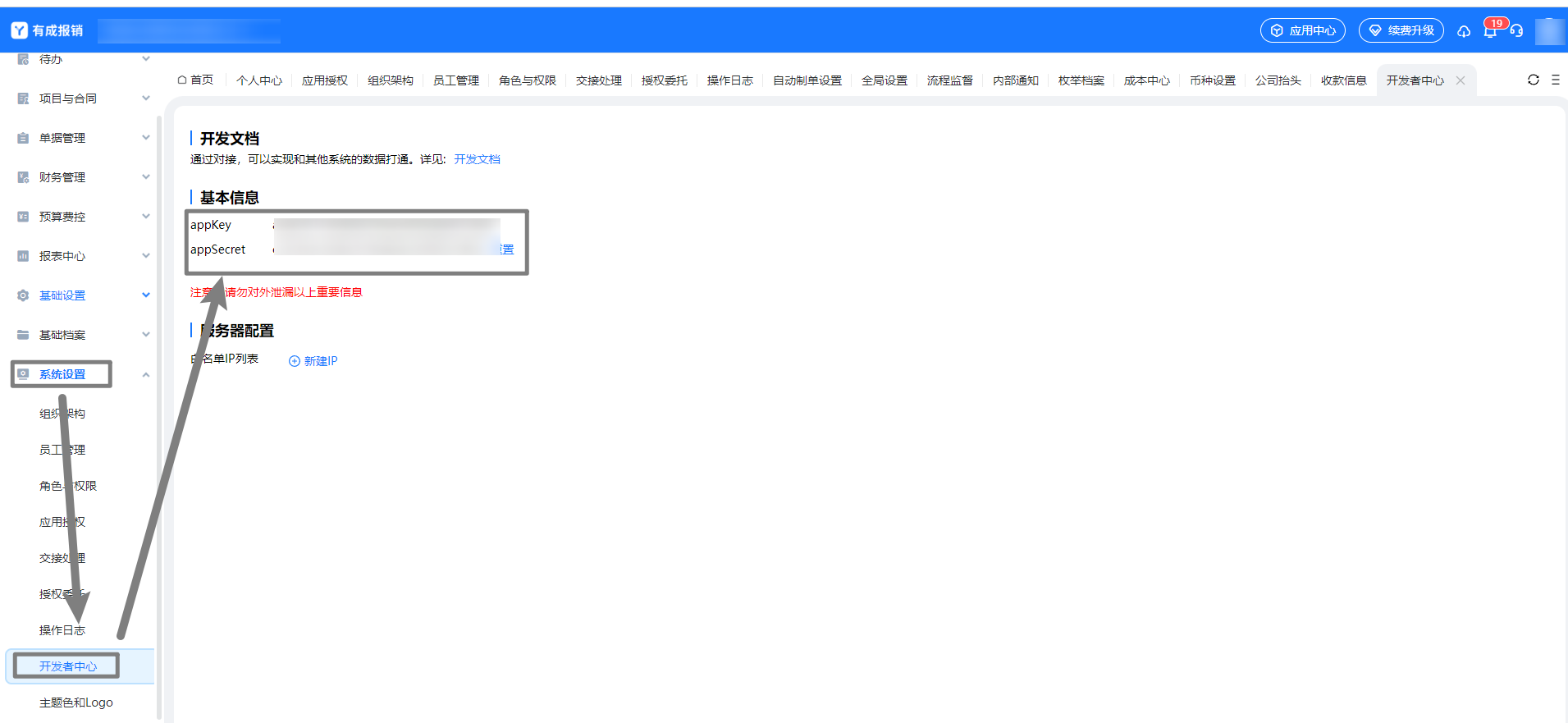
-
将参数填入连接器中,
host固定为https://www.h3yun.com/OpenApi/Invoke,enginecode填入appKey,enginesecret填入appSecret。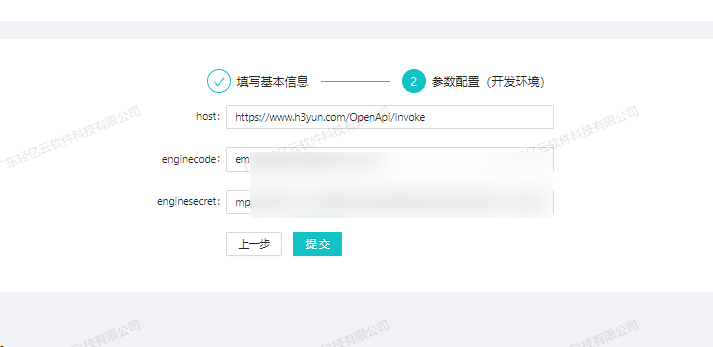
配置请求适配器
- 请求适配器:
\Adapter\Ycbg\YcbgQueryAdapter - 获取单据 code 调用
/reimburse/base/getTemplateList.rjson接口,用于查询请求单据列表所需的相关字段。以下为一次性查询的调度者源数据,并保留原始返回参数以备后续配置使用。其中templateCode为各单据的单据 code。
{
  "api": "/reimburse/base/getTemplateList.rjson",
  "type": "RESTful",
  "effect": "QUERY",
  "method": "POST",
  "number": "templateName",
  "id": "templateCode",
  "name": "id",
  "idCheck": true,
  "request": [],
  "otherRequest": [],
  "response": [
    {
      "field": "code",
      "label": "code",
      ...
    },
    {
      ...
      ...
    }
  ]
}
详细内容请参考 有成报销配置指南。
Copyright Notice
The article "如何配置有成报销连接器和请求适配器" is original content owned by 广东轻亿云软件科技有限公司. Reposting, quoting, copying or mirroring is strictly prohibited without written authorization. Please contact us for authorization and credit the author and source (including the original link) prominently.