
吉客云应用授权详细步骤
Source: Qeasy Cloud311 views
吉客云授权步骤
-
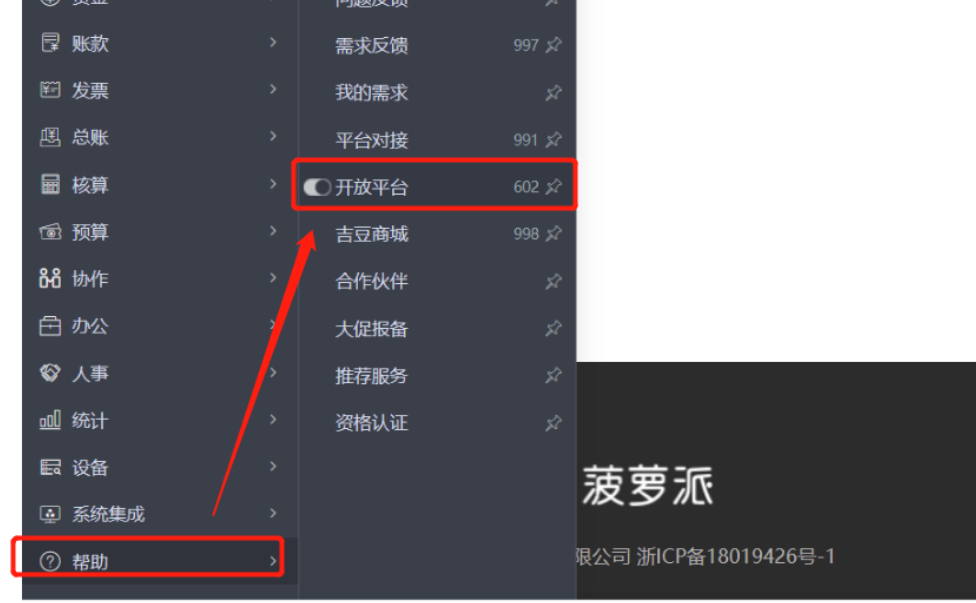
登录应用后,点击【帮助】,然后选择【开放平台】。
-
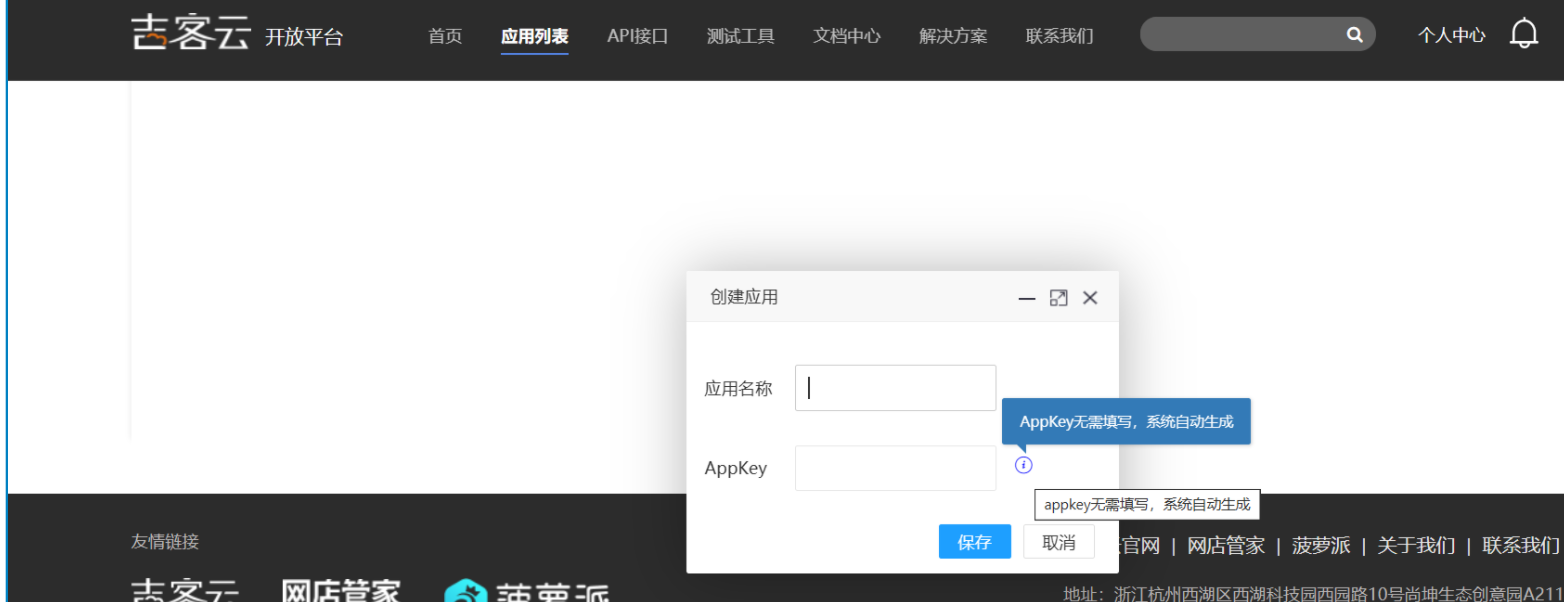
进入【应用列表】,并点击【创建应用】。

-
系统会自动生成Appkey。
-
在应用列表中找到相应的应用,点击“API接口订阅”,即可获取到【appkey】和【appsecret】。

Copyright Notice
The article "吉客云应用授权详细步骤" is original content owned by 广东轻亿云软件科技有限公司. Reposting, quoting, copying or mirroring is strictly prohibited without written authorization. Please contact us for authorization and credit the author and source (including the original link) prominently.