
金蝶ERP数据导出操作指南
Source: Qeasy Cloud21 views
如何进行数据导出
1. 找到导出功能


2. 选择要导出的数据状态

3. 设置过滤条件
从左侧选择需要的字段进行设置

4. 选定要导出的字段
注意:一次最多支持47个字段!

5. 开始导出
完成所有设置后,点击右下角的“开始导出”按钮。
导出过程中可能会有两种情况:
- 数据量少时,会直接生成下载任务。
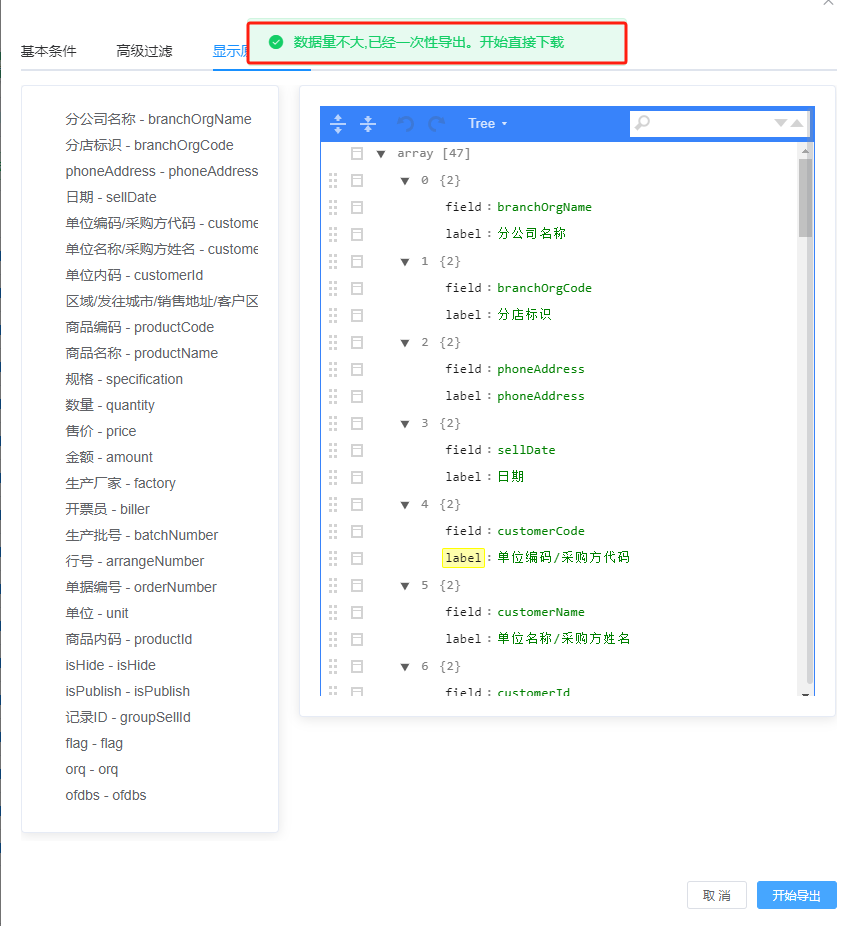
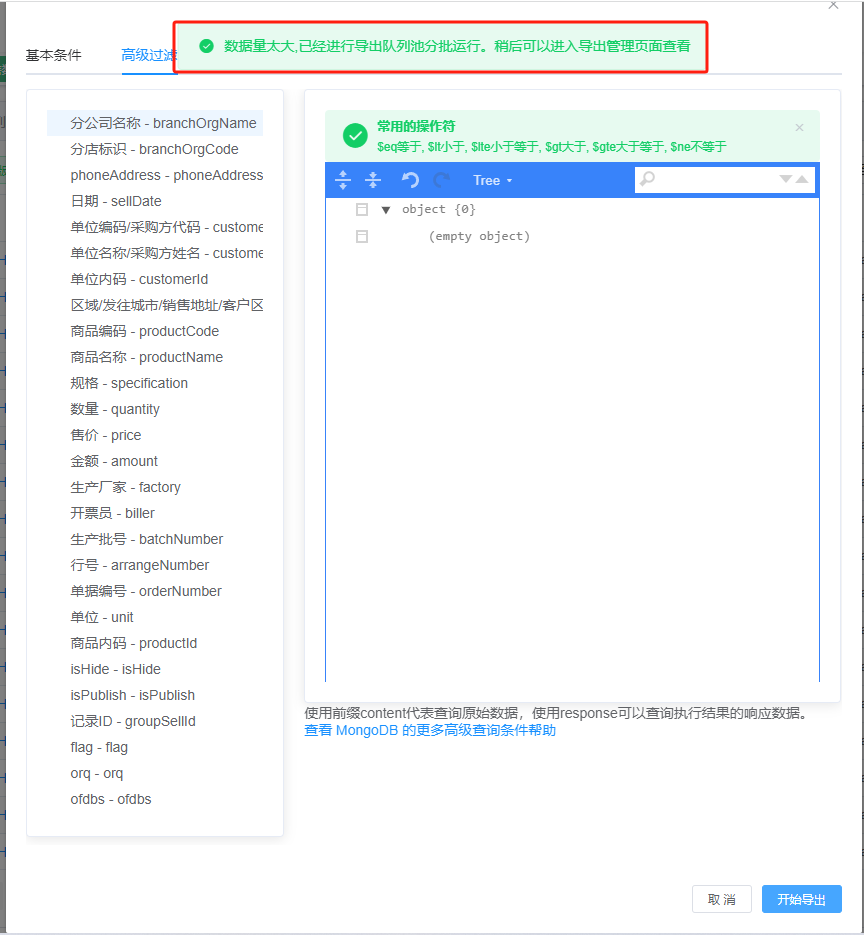
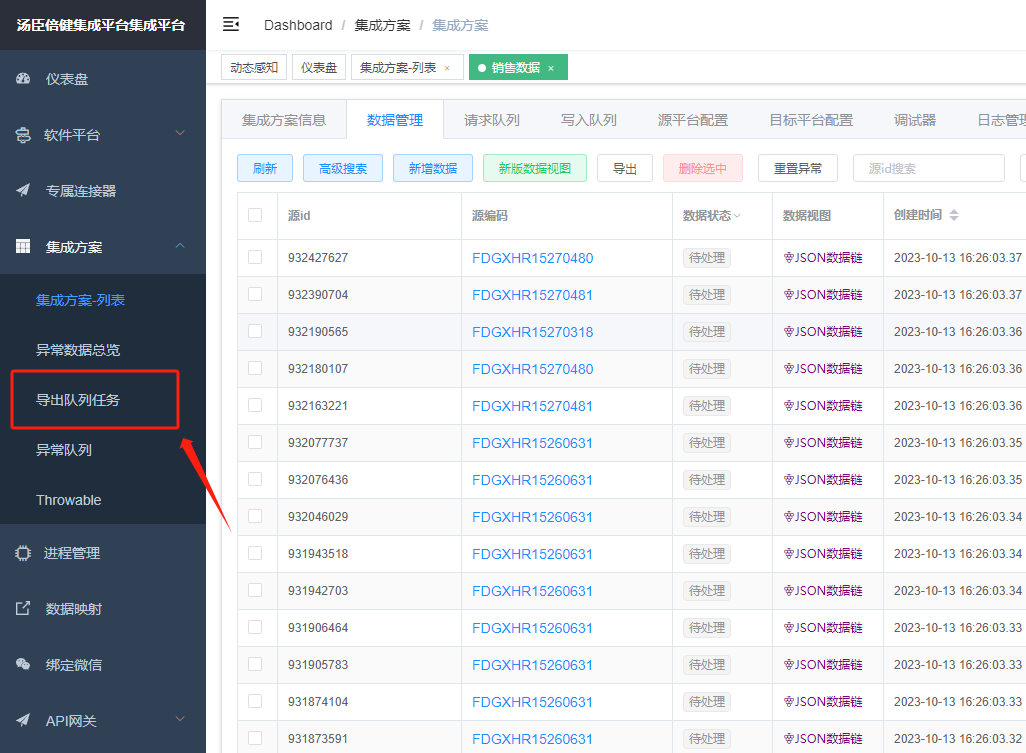
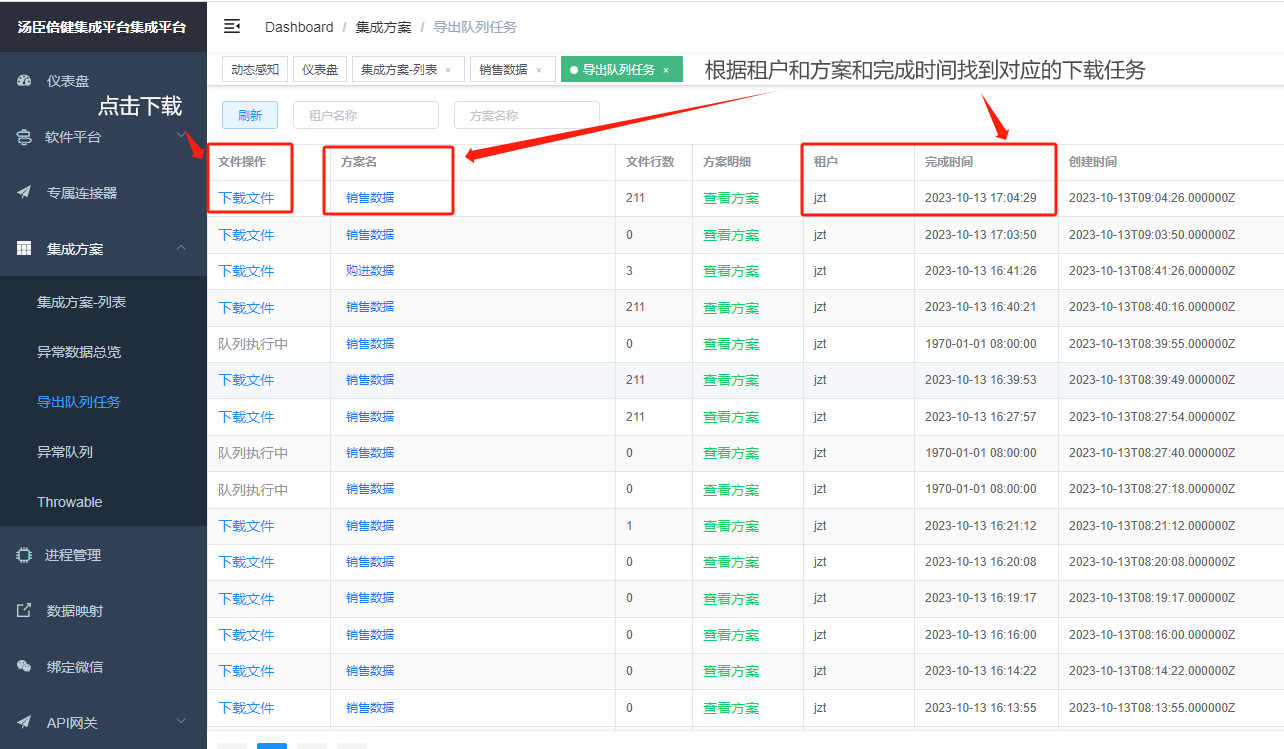
- 数据量大时,会先生成下载队列,需等待队列完成后才能下载文件。
Copyright Notice
The article "金蝶ERP数据导出操作指南" is original content owned by 广东轻亿云软件科技有限公司. Reposting, quoting, copying or mirroring is strictly prohibited without written authorization. Please contact us for authorization and credit the author and source (including the original link) prominently.