
企业微信审批数据获取配置详解
Source: Qeasy Cloud337 views
企业微信配置指南
获取连接器参考:
企业微信如何授权?-系统数据集成交流社区(qeasy.cloud)
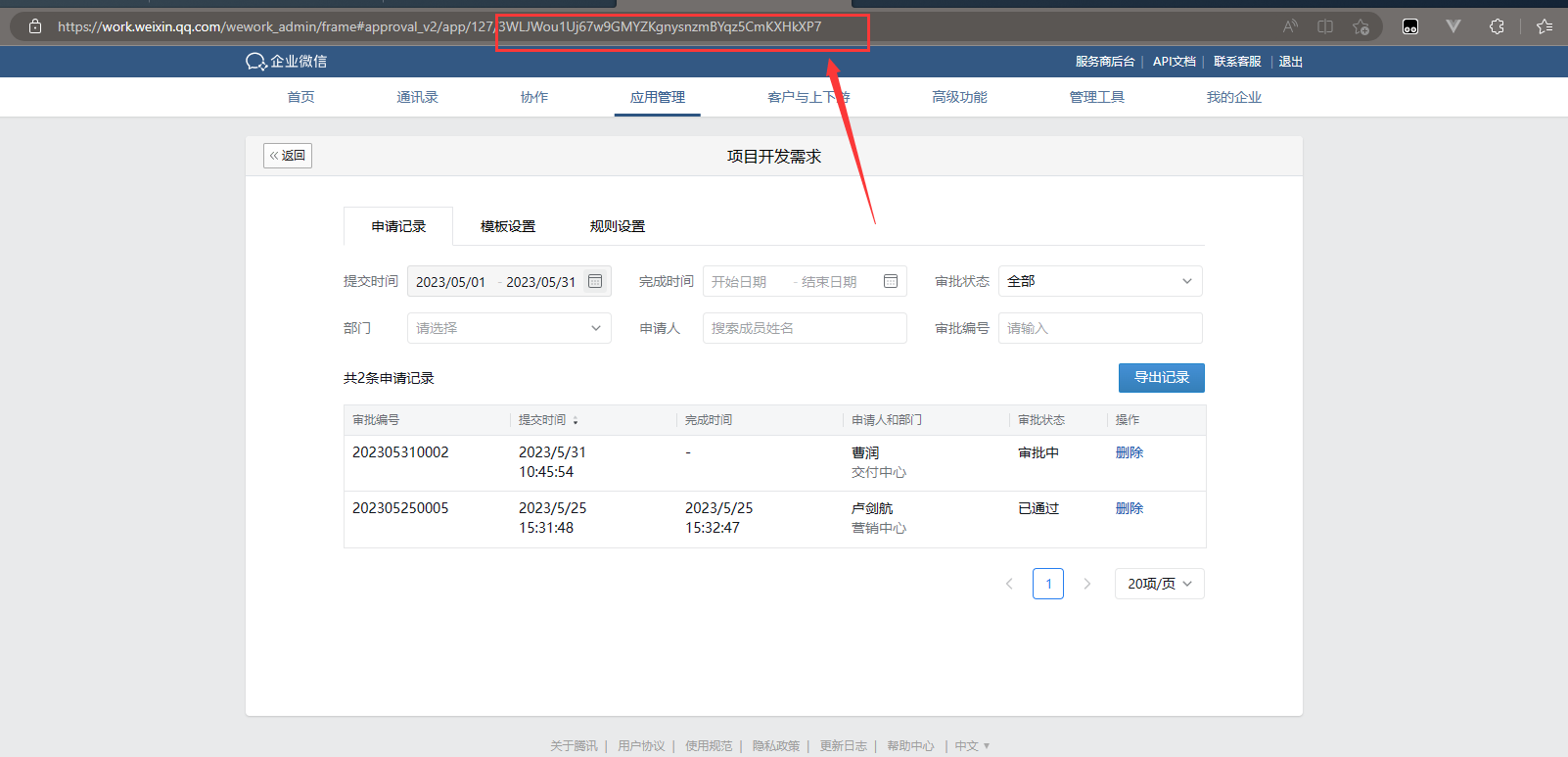
查询表单模板ID:
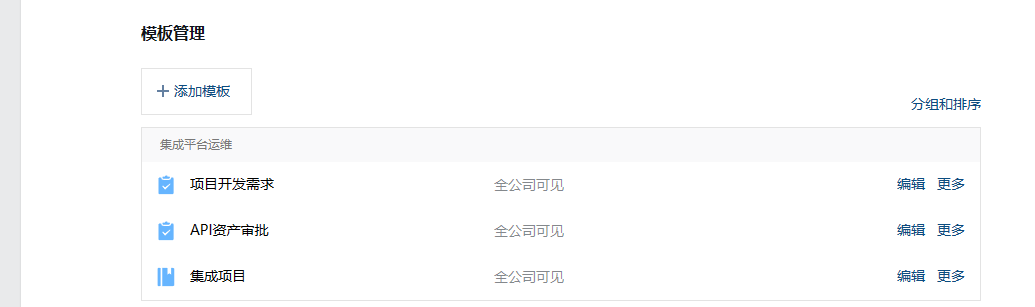
- 进入企业微信管理后台,打开“审批”应用。
- 编辑需要的表单:
- 表单ID在地址栏中显示:
获取审批数据:
-
使用适配器:\Adapter\Wxwork\WxworkV2QueryAdapter
-
调用接口 /cgi-bin/oa/getapprovalinfo 并进行如下配置。
-
请求参数配置如下(括号内内容可替换):
| 字段 | 名称 | 字段值 | 字段类型 |
|---|---|---|---|
| starttime | 开始时间 | {LAST_SYNC_TIME} | 字符串 |
| endtime | 结束时间 | {CURRENT_TIME} | 字符串 |
| cursor | 游标 | 0 | 字符串 |
| size | 每页大小 | 100 | 整型 |
| filters | 请求过滤 | 子表对象 | |
| 0 | 过滤条件排序位置 | 子表对象 | |
| key | 过滤条件名称 | template_id | 字符串 |
| value | 过滤条件值 | 3WLJWotDSVU6dDkMwiWXdaZX5VT8rcec1gF7xRFs | 字符串 |
可以根据需求自行增加过滤条件,第一个固定为某个表单。具体格式如下图所示:

- 其他请求参数配置如下(括号内内容可替换):
| 字段 | 名称 | 字段值 | 字段类型 |
|---|---|---|---|
| otherapi | otherapi | /cgi-bin/oa/getapprovaldetail | 字符串 |
| otherkey | otherkey | sp_no | 字符串 |
| detailkey | detailkey | info | 字符串 |
- 响应参数配置如下(括号内内容可替换):
|字段
statusKey
statusValue
dataKey
pageKey
islist
至此,查询审批数据的配置已经完成。
Copyright Notice
The article "企业微信审批数据获取配置详解" is original content owned by 广东轻亿云软件科技有限公司. Reposting, quoting, copying or mirroring is strictly prohibited without written authorization. Please contact us for authorization and credit the author and source (including the original link) prominently.