
如何配置有成报销连接器和请求适配器
来源:轻易云451 次浏览
获取有成报销连接器信息及配置指南
建立连接器
-
使用管理员权限账号登录有成报销。如果是通过钉钉授权的账户,需要从钉钉进入。
-
在系统管理-开发者中心中,获取
appkey和appSecret。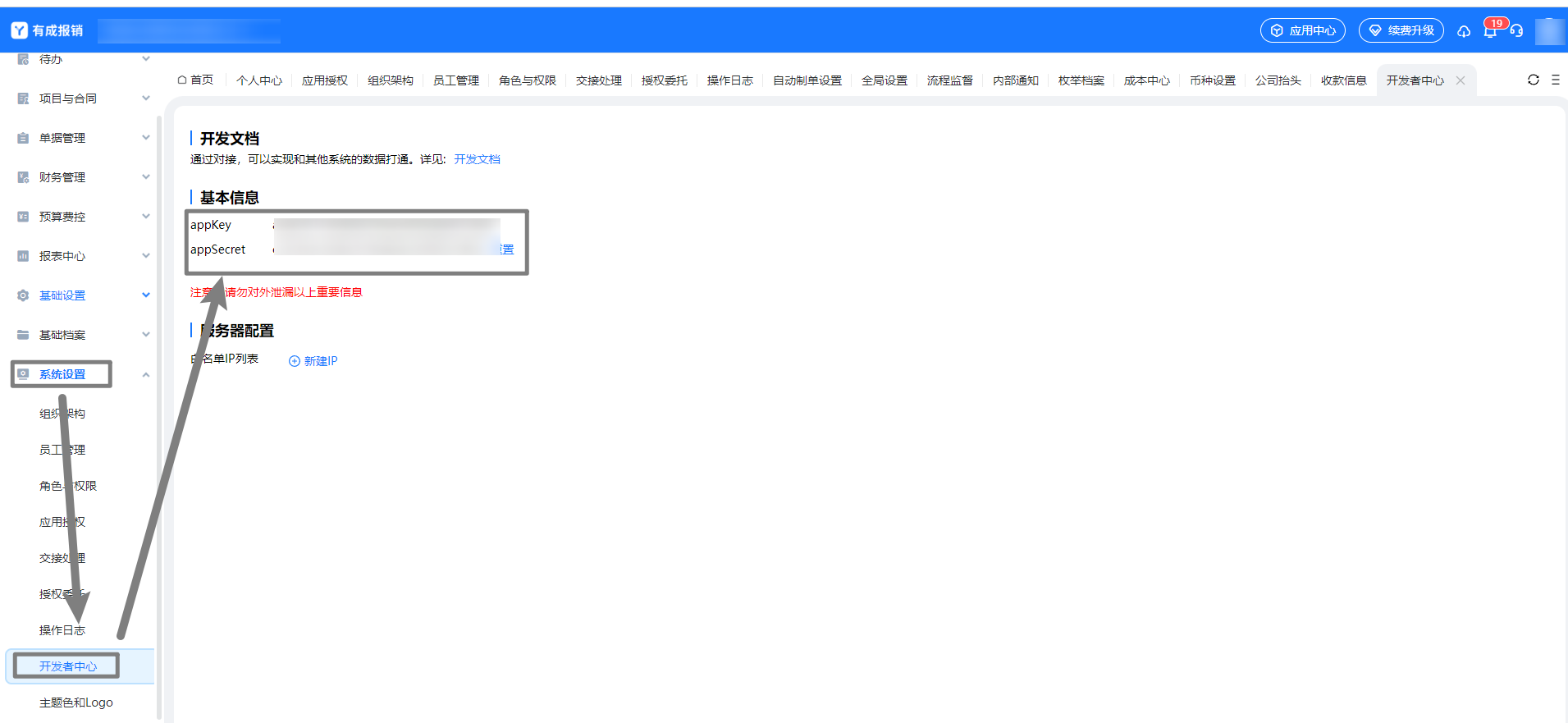
-
将参数填入连接器中,
host固定为https://www.h3yun.com/OpenApi/Invoke,enginecode填入appKey,enginesecret填入appSecret。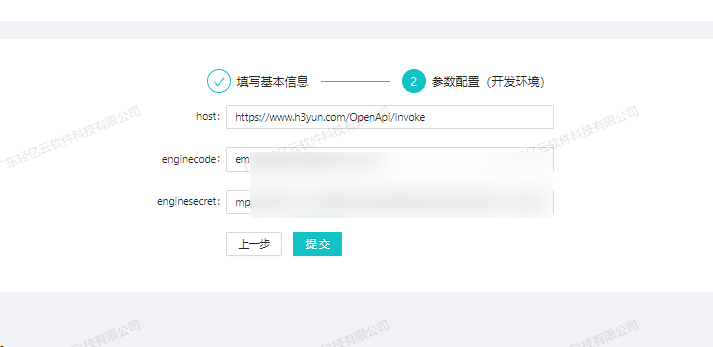
配置请求适配器
- 请求适配器:
\Adapter\Ycbg\YcbgQueryAdapter - 获取单据 code 调用
/reimburse/base/getTemplateList.rjson接口,用于查询请求单据列表所需的相关字段。以下为一次性查询的调度者源数据,并保留原始返回参数以备后续配置使用。其中templateCode为各单据的单据 code。
{
  "api": "/reimburse/base/getTemplateList.rjson",
  "type": "RESTful",
  "effect": "QUERY",
  "method": "POST",
  "number": "templateName",
  "id": "templateCode",
  "name": "id",
  "idCheck": true,
  "request": [],
  "otherRequest": [],
  "response": [
    {
      "field": "code",
      "label": "code",
      ...
    },
    {
      ...
      ...
    }
  ]
}
详细内容请参考 有成报销配置指南。
版权声明
该文章 《如何配置有成报销连接器和请求适配器》 为原创内容,版权归 广东轻亿云软件科技有限公司 所有。未经本公司书面授权,严禁转载、引用、复制或建立镜像等行为。若需转载或引用本文内容,请联系本公司获取授权,并在显著位置注明作者姓名、文章出处(包括原文链接)等信息。