
如何配置QQ邮箱邮件服务器信息
来源:轻易云964 次浏览
获取邮件服务器信息
QQ邮箱服务器信息:
| 服务类型 | 服务器地址 | 端口一 | 端口二 |
|---|---|---|---|
| POP3 | pop.qq.com | 995 | 无 |
| SMTP | smtp.qq.com | 465 | 587 |
要使用POP3和SMTP服务,还需要获取授权码。以下是获取授权码的方法。
登录/注册QQ邮箱,点击跳转QQ邮箱官网
- 登录/注册成功后到邮箱首页,点击左侧的“设置”
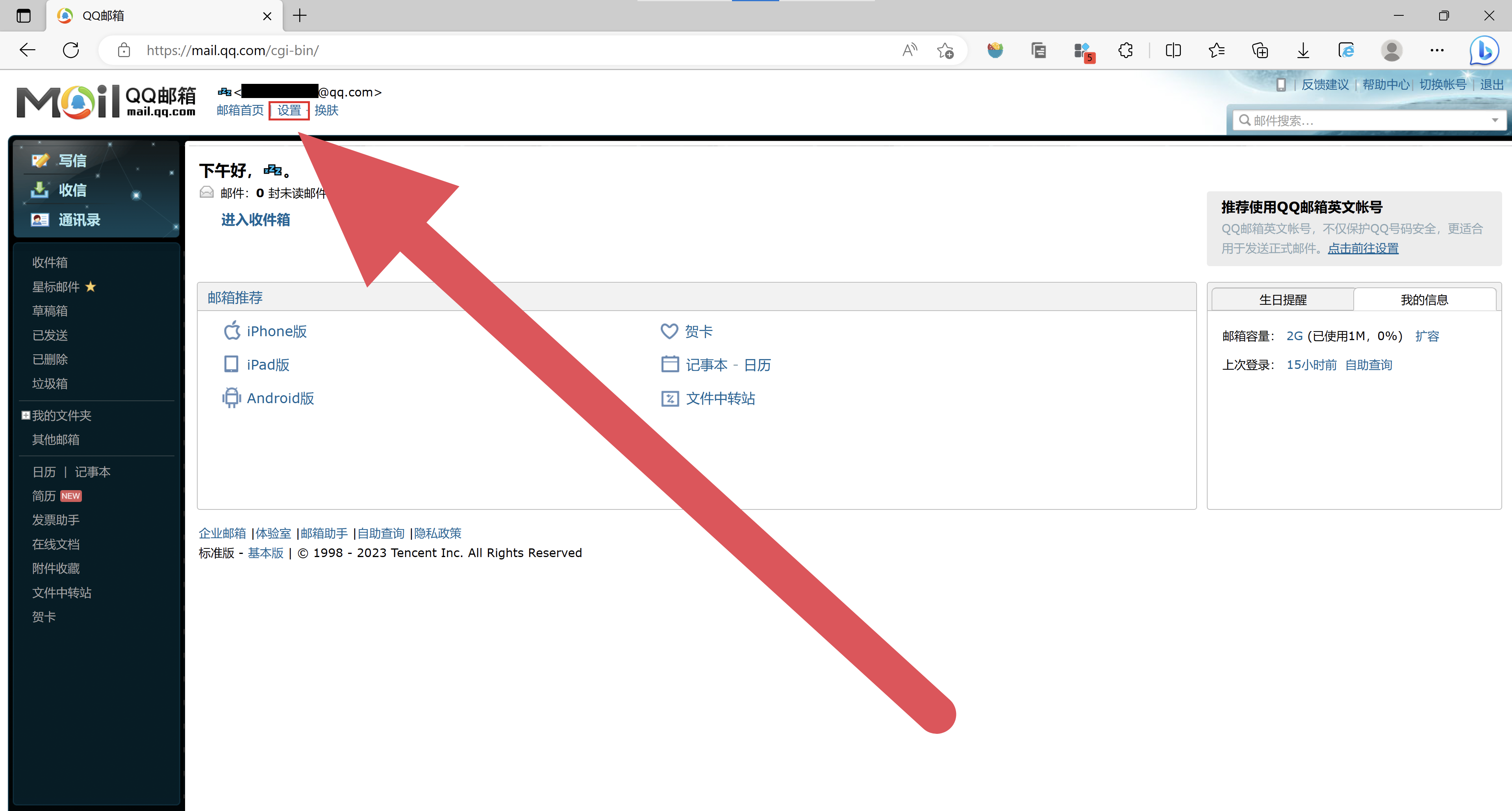
- 点击“账户”

- 下拉账户页面,找到红框圈出的内容,点击开启
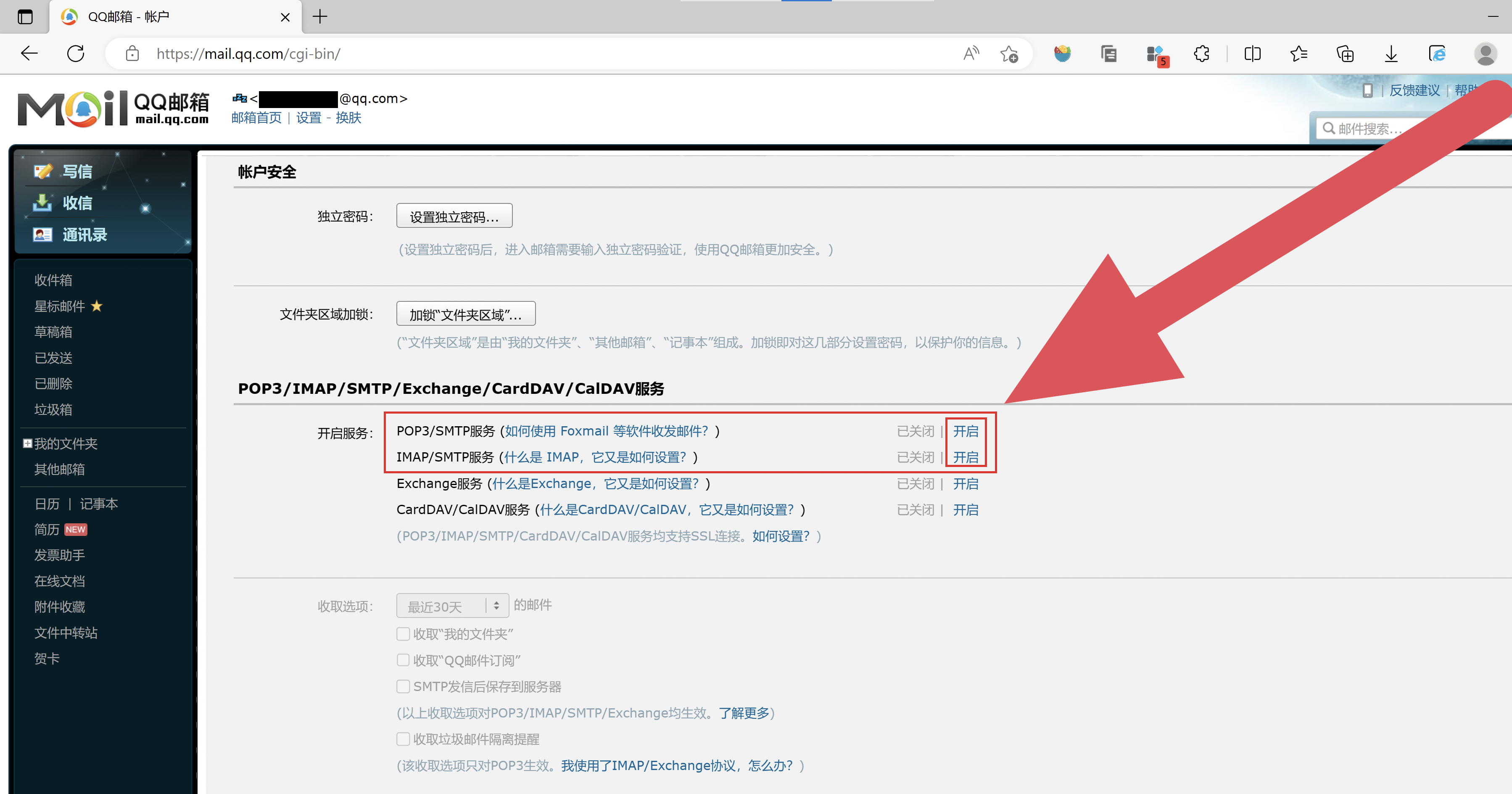
- 授权码会显示在页面上,这串字母就是授权码


配置目标平台
配置邮件通知时,需要填写以下字段:
| 字段名 | 名称 | 字段值 |
|---|---|---|
| username | 用户名 | xxxxxxxx@qq.com |
| password | 授权码 | xxxxxxxxxxxxxxx |
| SMTPSecure | 协议类型 | ssl |
| port | 端口号 | 465 |
| host | 邮件服务器地址 | smtp.qq.com |
汇总通知方案配置

明细通知方案配置

明细合并发送
需要在写入配置聚合函数 sent_to_email。如果有多个收件人,可以使用解析器,把收件人变成数组,就能发送给多个人。
通知结果
汇总通知效果
版权声明
该文章 《如何配置QQ邮箱邮件服务器信息》 为原创内容,版权归 广东轻亿云软件科技有限公司 所有。未经本公司书面授权,严禁转载、引用、复制或建立镜像等行为。若需转载或引用本文内容,请联系本公司获取授权,并在显著位置注明作者姓名、文章出处(包括原文链接)等信息。