
如何设置并使用数据映射关系
来源:轻易云333 次浏览
映射关系绑定操作指南
-
创建映射分类
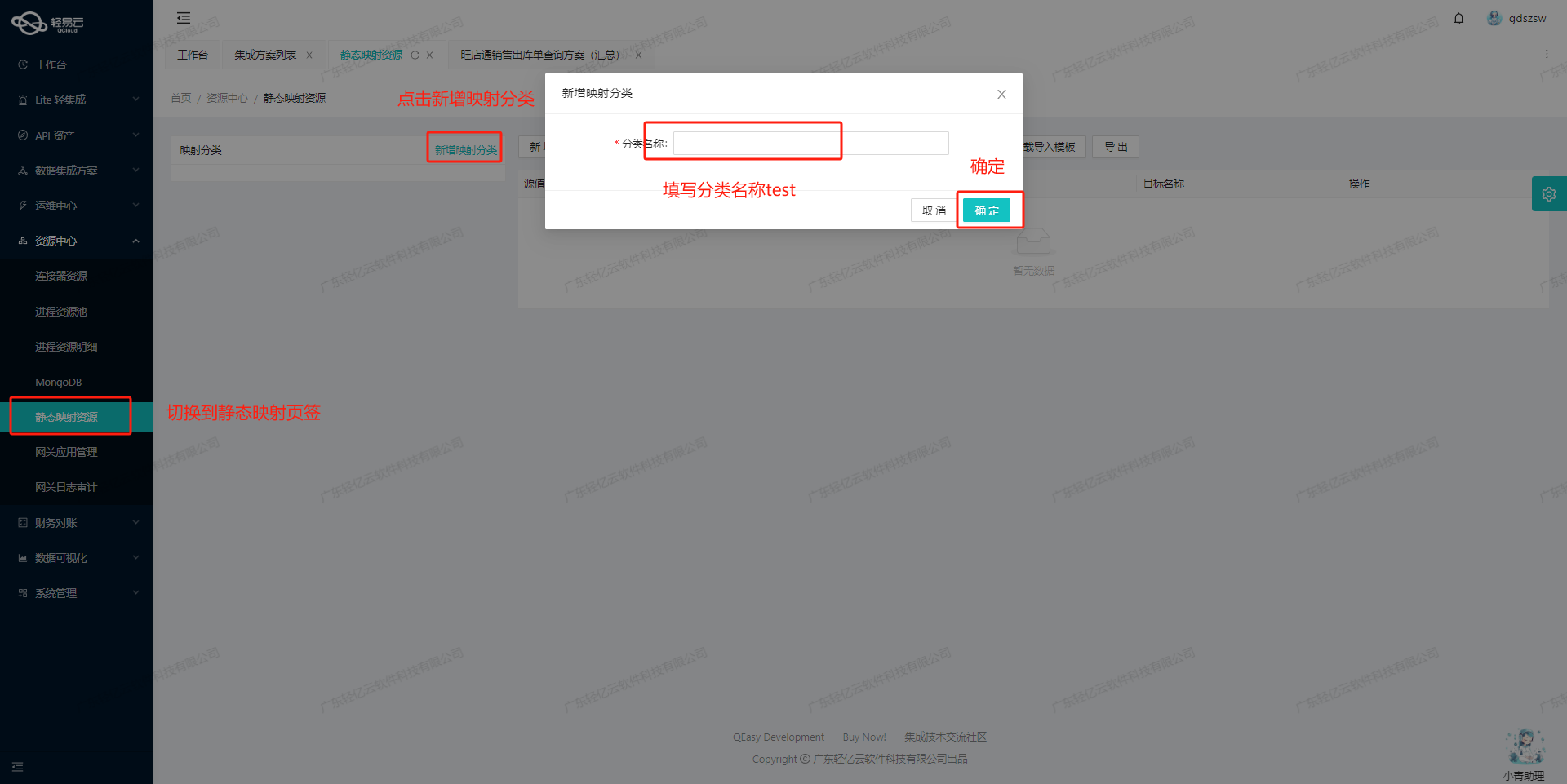
-
选中新建的映射分类,点击新增
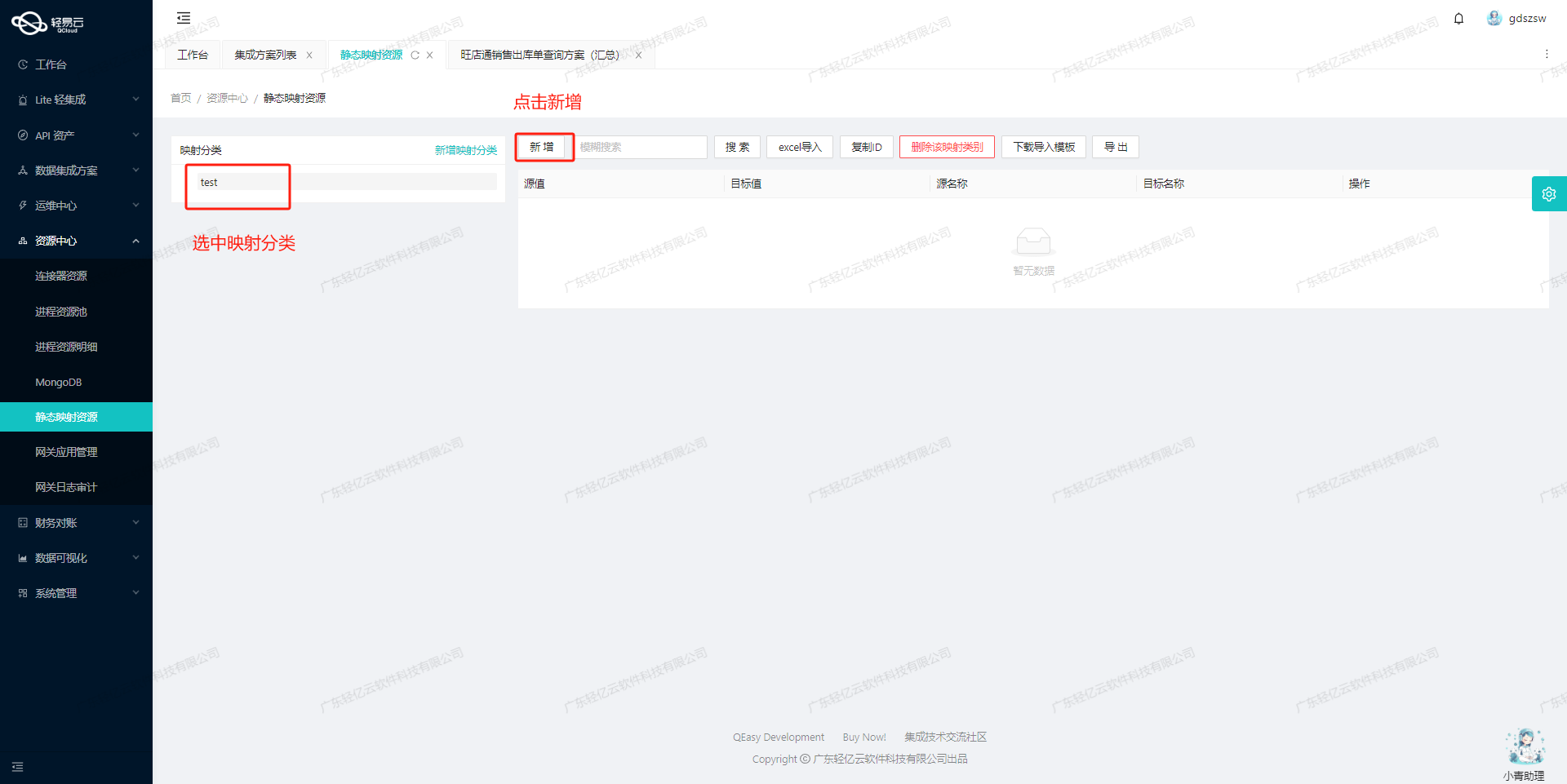
-
按图示填写完整的映射关系
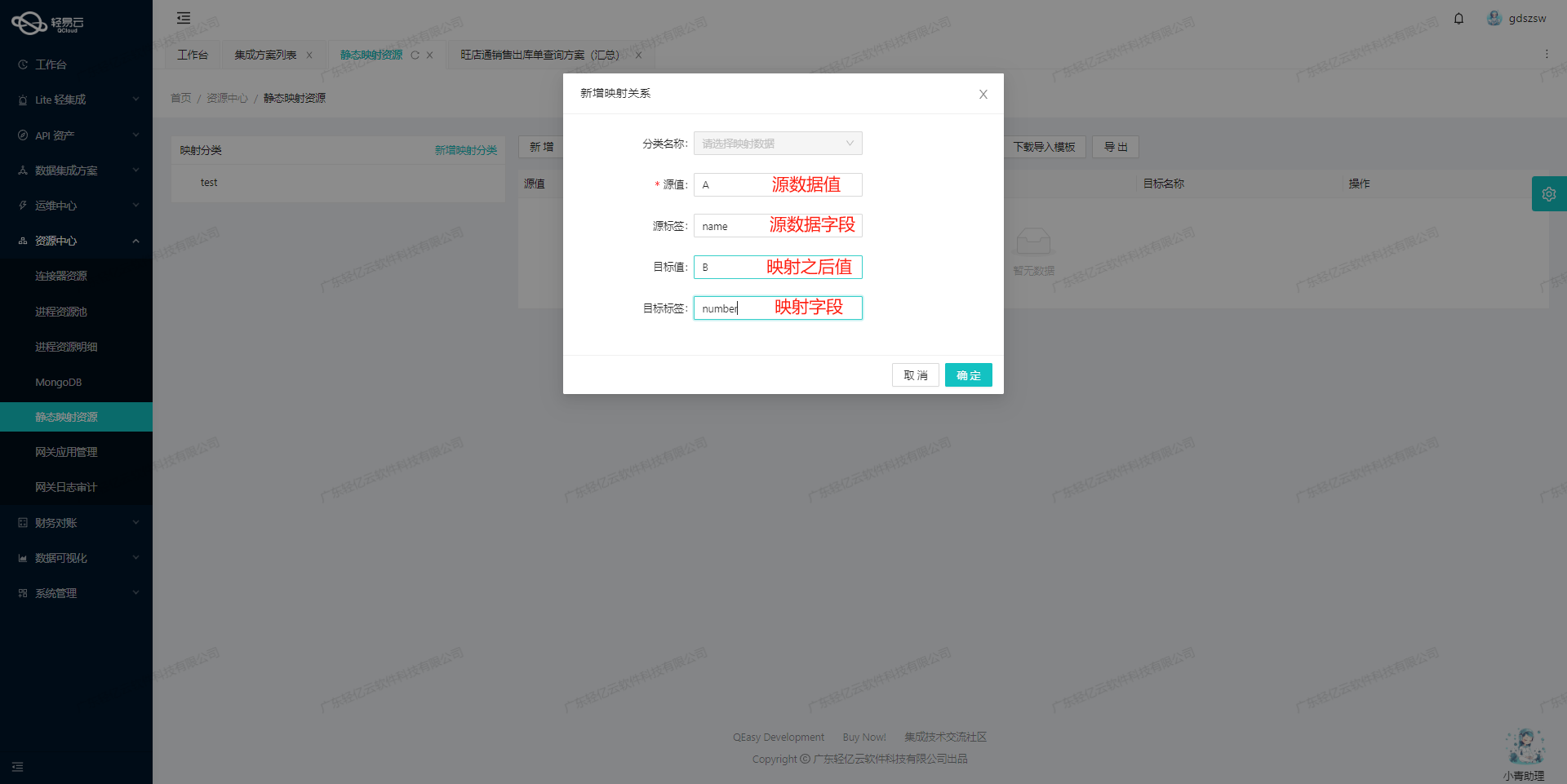
-
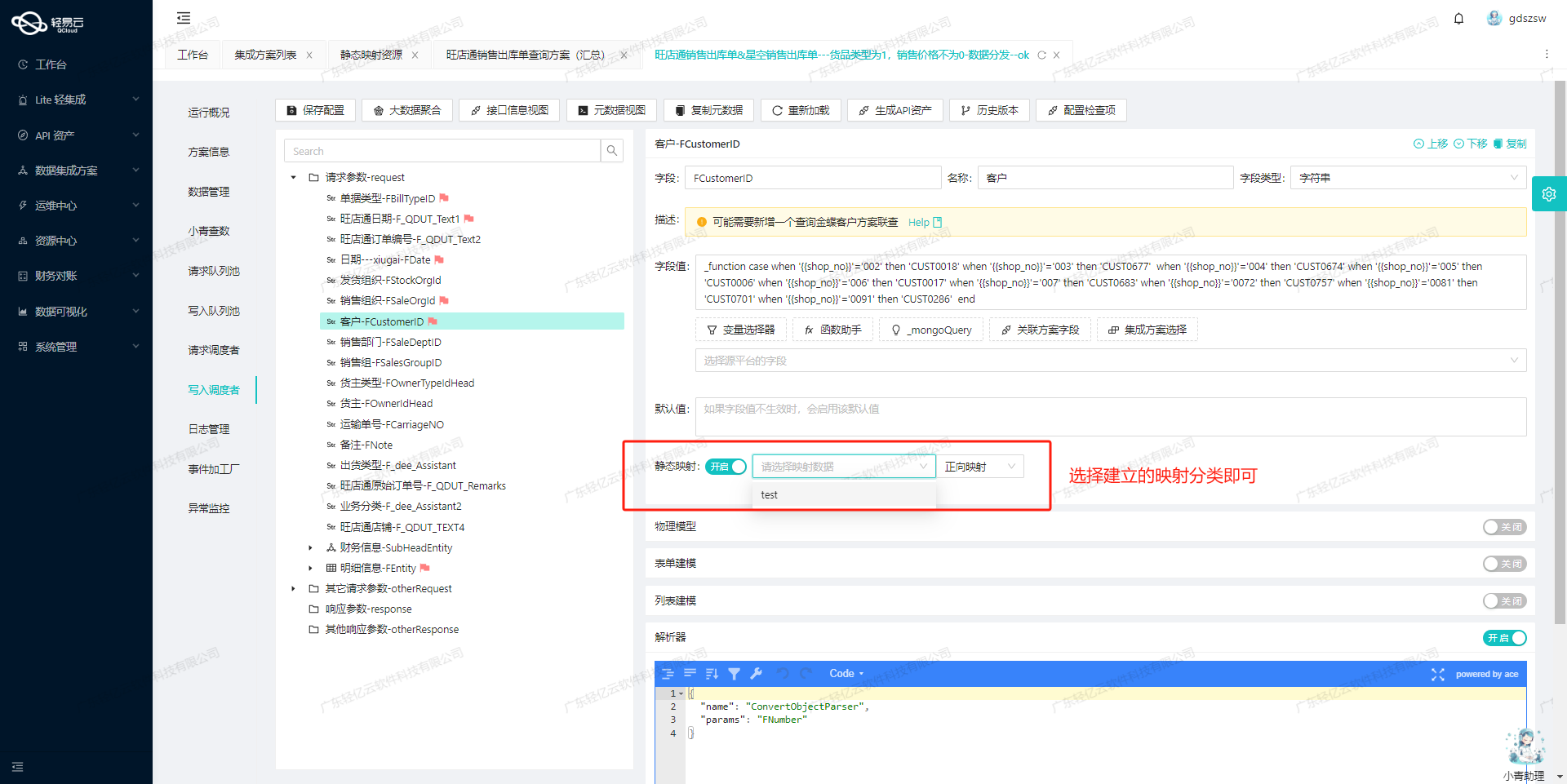
切换至目标平台配置,找到相应字段并启用映射
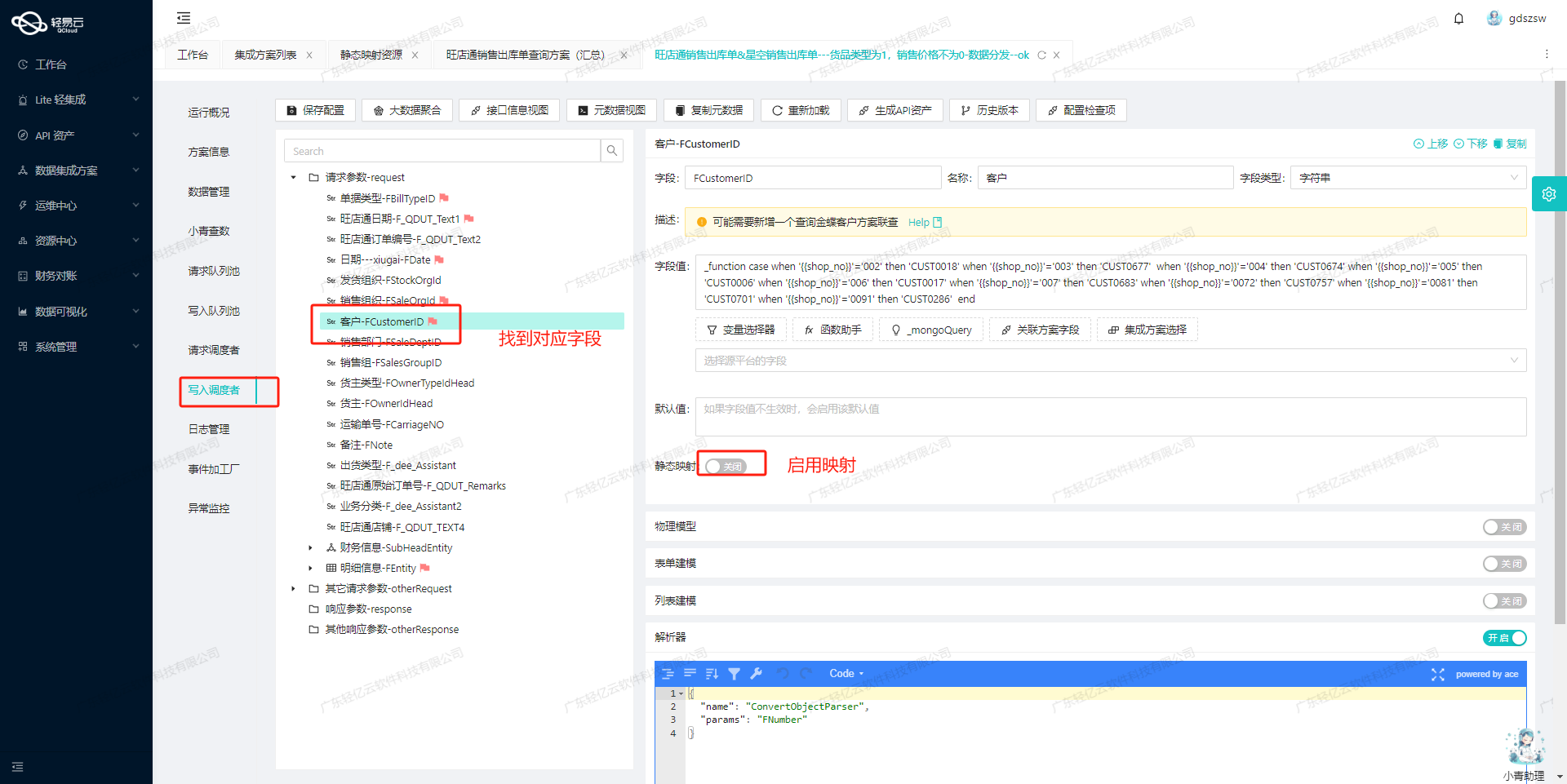
-
最后选择对应的映射分类,这样就完成了设置数据映射关系并且使用它
版权声明
该文章 《如何设置并使用数据映射关系》 为原创内容,版权归 广东轻亿云软件科技有限公司 所有。未经本公司书面授权,严禁转载、引用、复制或建立镜像等行为。若需转载或引用本文内容,请联系本公司获取授权,并在显著位置注明作者姓名、文章出处(包括原文链接)等信息。